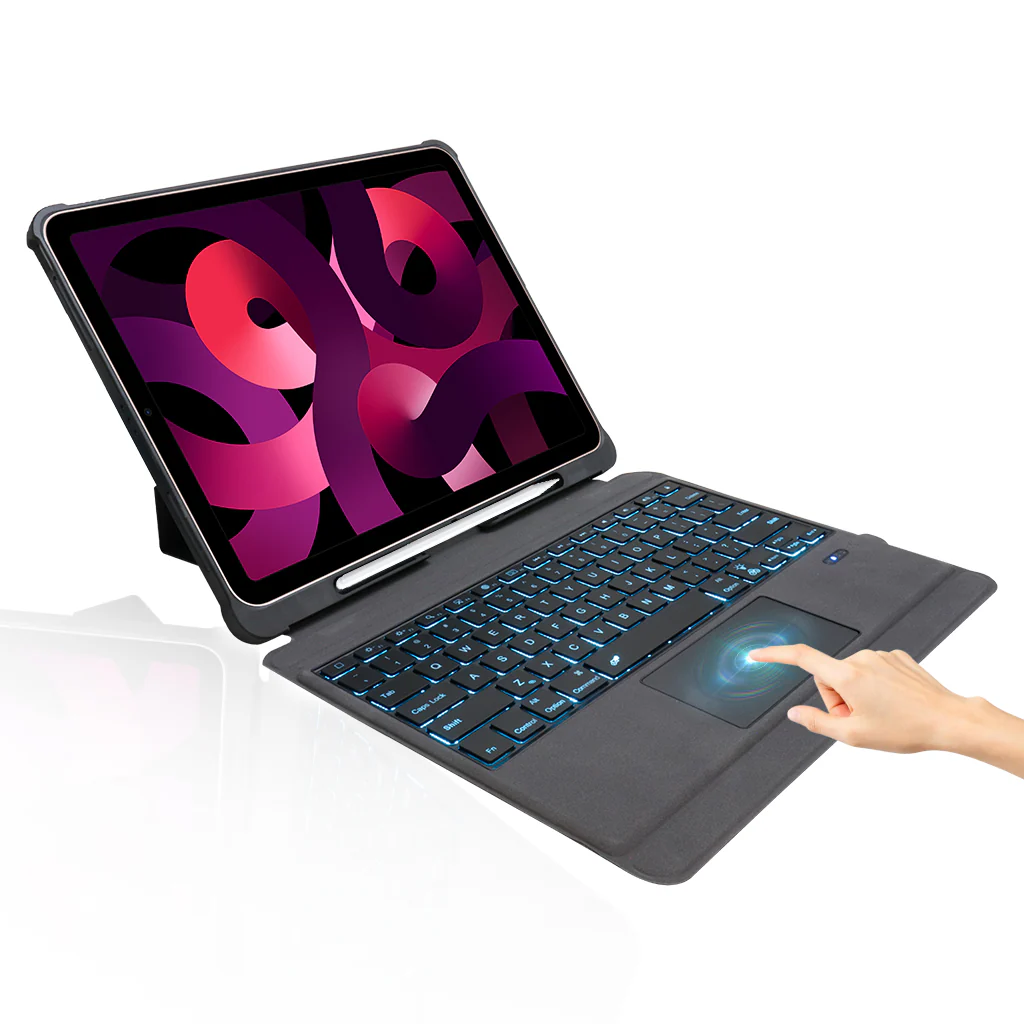
TECPHILE - T5209D Wireless Keyboard Case for iPad Pro 12.9
COMPATIBILITY: Keyboard Case is compatible with iPad Pro 12.9” [2018 3rd Gen (A1876, A2014, A1895, A1983) (2020 4th Gen) (A2233, A2229, A2069, A2232) (2021 5th Gen) (A2378, A2379, A2461, A2462)]. Not compatible with any other devices.
MULTI-GESTURE CONTROLLABLE TOUCHPAD: Keyboard Case for iPad Pro 12.9” has a smart trackpad that supports a true native multi-finger function (Trackpad Requires IOS 13 or above). There is no need to use a mouse, a keyboard case with a smart trackpad allows you to use your tab without raising your hand like browsing the web, typing, editing, etc. It makes you feel like you are using a modish laptop.
BRIGHT 7 COLOR BACKLIT: This Keyboard Case for iPad Pro 12.9” has 7 Elegant LED backlights (deep blue, soft blue, bright green, white, red, yellow, pink) and has 3-Level of brightness that allow you to work at night. It makes typing fun and easy in the dark/night. You can set the brightness level according to your needs.
HOLDER FOR APPLE PENCIL: Keyboard Case for iPad Pro 12.9” supports 2nd Gen Apple Pencil's magnetic attachment and wireless charging.
MULTIPLE STAND ANGLES FOR COMFORTABLE USE: The Keyboard Case for iPad Pro 12.9” is magnetically attached and the thoughtful design easily adjusts to whatever comfortable angle suits you best. Convert your iPad into a laptop and easily adjust the viewing angle to any level, perfect for working, writing, or watching videos at business, school, travel, and home.
LONG LIFE BATTERY: The iPad 12.9" keyboard case includes a built-in rechargeable battery that could extend the battery life, 3-4 hours full charge, work for more than 100 hours, and stand by for 100 days. The keyboard will enter sleep mode if it doesn't work for a few minutes, and it will disconnect with your iPad. It will wake up and connect to your tab again when pressing any key.
Type C CHARGING PORT: You can easily charge your keyboard with Type C corded cable which is included in the package and you can use the keyboard for a long time after one charge.
ERGONOMIC DESIGN & CONNECTIVITY: Made of Plastic & Leatherette Material, Super light and thin, the design makes for easy portability, Environmental material, scissor foot structure button, and durable enough to travel. You can carry this easily in a bag, purse, suitcase, or backpack. This keyboard only connects via Bluetooth. This Keyboard has Bluetooth 5.0.
DISCLAIMER: Kindly charge the keyboard with a 5V/1 Amp power adapter only. It will improve the life span of your gear and its batteries.
How to connect with Devices:
- Step 1: Before first use, we recommend charging the keyboard for a minimum of 4 to 6 hours.
- Step 2: Please press ‘Fn + Z’ Keys to start pairing on the Keyboard. The blue light will start blinking on the keyboard to show the keyboard is in pairing mode.
- Step 3: On your device, select the ‘Settings’ icon.
- Step 4: Navigate to ‘Bluetooth’ settings and turn on Bluetooth.
- Step 5: Select ‘Refresh’ from the settings bar. Your keyboard (Bluetooth Keyboard) will show in the ‘Available Devices’ section.
- Step 6: Select the keyboard and press Pair or hit enter. You are now connected!
Original: $4,299.00
-65%$4,299.00
$1,504.65Product Information
Product Information
Shipping & Returns
Shipping & Returns
Description
COMPATIBILITY: Keyboard Case is compatible with iPad Pro 12.9” [2018 3rd Gen (A1876, A2014, A1895, A1983) (2020 4th Gen) (A2233, A2229, A2069, A2232) (2021 5th Gen) (A2378, A2379, A2461, A2462)]. Not compatible with any other devices.
MULTI-GESTURE CONTROLLABLE TOUCHPAD: Keyboard Case for iPad Pro 12.9” has a smart trackpad that supports a true native multi-finger function (Trackpad Requires IOS 13 or above). There is no need to use a mouse, a keyboard case with a smart trackpad allows you to use your tab without raising your hand like browsing the web, typing, editing, etc. It makes you feel like you are using a modish laptop.
BRIGHT 7 COLOR BACKLIT: This Keyboard Case for iPad Pro 12.9” has 7 Elegant LED backlights (deep blue, soft blue, bright green, white, red, yellow, pink) and has 3-Level of brightness that allow you to work at night. It makes typing fun and easy in the dark/night. You can set the brightness level according to your needs.
HOLDER FOR APPLE PENCIL: Keyboard Case for iPad Pro 12.9” supports 2nd Gen Apple Pencil's magnetic attachment and wireless charging.
MULTIPLE STAND ANGLES FOR COMFORTABLE USE: The Keyboard Case for iPad Pro 12.9” is magnetically attached and the thoughtful design easily adjusts to whatever comfortable angle suits you best. Convert your iPad into a laptop and easily adjust the viewing angle to any level, perfect for working, writing, or watching videos at business, school, travel, and home.
LONG LIFE BATTERY: The iPad 12.9" keyboard case includes a built-in rechargeable battery that could extend the battery life, 3-4 hours full charge, work for more than 100 hours, and stand by for 100 days. The keyboard will enter sleep mode if it doesn't work for a few minutes, and it will disconnect with your iPad. It will wake up and connect to your tab again when pressing any key.
Type C CHARGING PORT: You can easily charge your keyboard with Type C corded cable which is included in the package and you can use the keyboard for a long time after one charge.
ERGONOMIC DESIGN & CONNECTIVITY: Made of Plastic & Leatherette Material, Super light and thin, the design makes for easy portability, Environmental material, scissor foot structure button, and durable enough to travel. You can carry this easily in a bag, purse, suitcase, or backpack. This keyboard only connects via Bluetooth. This Keyboard has Bluetooth 5.0.
DISCLAIMER: Kindly charge the keyboard with a 5V/1 Amp power adapter only. It will improve the life span of your gear and its batteries.
How to connect with Devices:
- Step 1: Before first use, we recommend charging the keyboard for a minimum of 4 to 6 hours.
- Step 2: Please press ‘Fn + Z’ Keys to start pairing on the Keyboard. The blue light will start blinking on the keyboard to show the keyboard is in pairing mode.
- Step 3: On your device, select the ‘Settings’ icon.
- Step 4: Navigate to ‘Bluetooth’ settings and turn on Bluetooth.
- Step 5: Select ‘Refresh’ from the settings bar. Your keyboard (Bluetooth Keyboard) will show in the ‘Available Devices’ section.
- Step 6: Select the keyboard and press Pair or hit enter. You are now connected!