TECPHILE - K17 Pro Wireless Magnetic Keyboard for Surface Pro 8/9/X (Demo Unit)
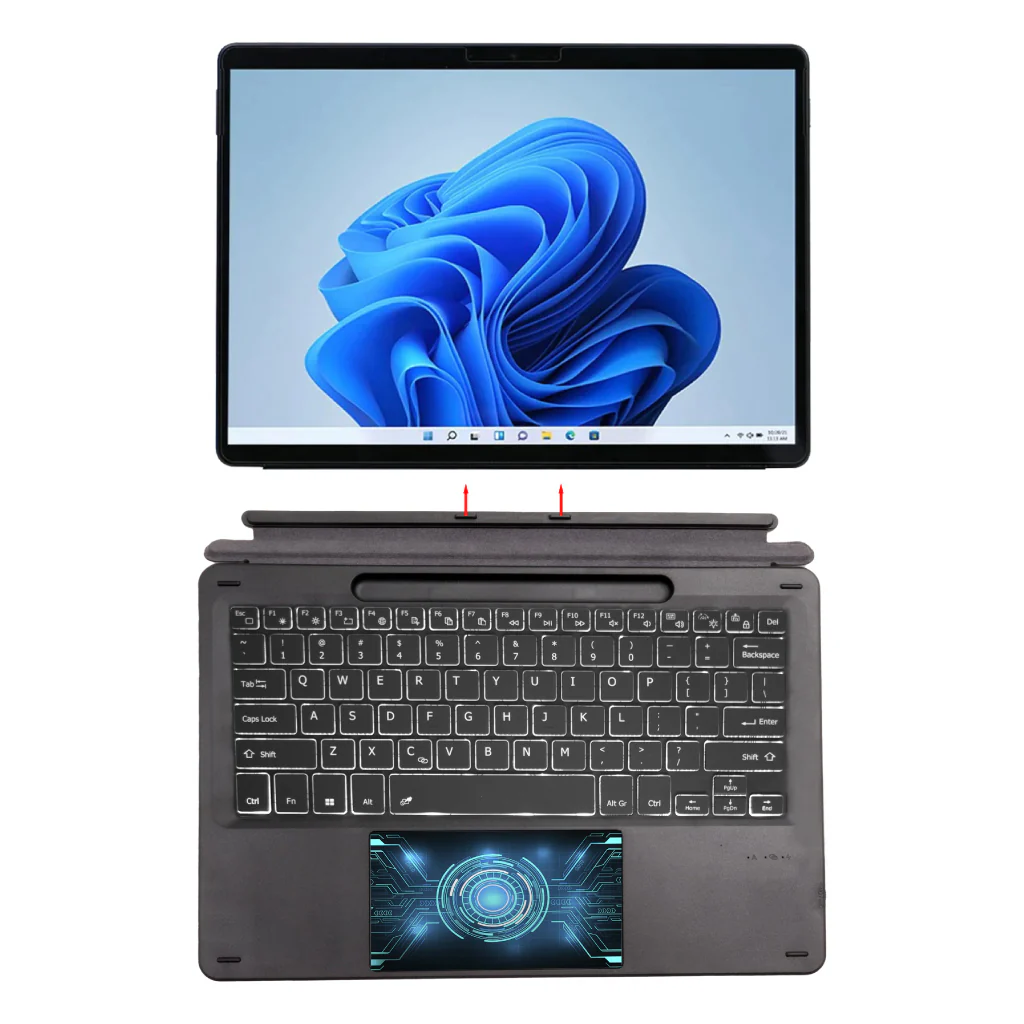
CASE COMPATIBILITY: The wireless keyboard is specially designed for full compatibility with Microsoft Surface Pro 8 (2021) / Pro X (2019) 13” /Surface Pro 9 (2022) 13" models. It is not compatible with any other model.
EASY TO USE TOUCHPAD: Bluetooth keyboard has got a fully-functioning gesture trackpad with left and right keys. It allows you to easily navigate the tablet screen without raising your hands, making it super easy to use. Tecphile has designed it in such a manner that it allows you to use your tablet as you use your laptop.
BRIGHT BACKLIT: Slim keyboard has white backlight with 3 different level of brightness that allows you to work at night. It makes typing easy in the dark/night.
EXTENDED BATTERY LIFE: K17 PRO keyboard features an in-built 500mAh battery. Use your keyboard for long hours on a single charge. It provides a battery life of up to 100 hours with a single charge and a standby time of up to 100days. The keyboard also features a sleep/wake-up function that preserves its battery life when not in use. Wireless keyboard uses type C charging port. It is compatible with most chargers and cables out there and can be charged quickly.
SOLID ABS MATERIAL BUILD: This Wireless Keyboard is made of durable ABS material, full magnetic attachment to your device and prevents it from falling. You can carry this easily in a bag, purse, suitcase and backpack.
DISCLAIMER: Kindly charge the keyboard with a 5V/1 Amp power adapter only. It will improve the life span of your gear and its batteries.
Original: $2,370.00
-65%$2,370.00
$829.50Product Information
Product Information
Shipping & Returns
Shipping & Returns
Description
CASE COMPATIBILITY: The wireless keyboard is specially designed for full compatibility with Microsoft Surface Pro 8 (2021) / Pro X (2019) 13” /Surface Pro 9 (2022) 13" models. It is not compatible with any other model.
EASY TO USE TOUCHPAD: Bluetooth keyboard has got a fully-functioning gesture trackpad with left and right keys. It allows you to easily navigate the tablet screen without raising your hands, making it super easy to use. Tecphile has designed it in such a manner that it allows you to use your tablet as you use your laptop.
BRIGHT BACKLIT: Slim keyboard has white backlight with 3 different level of brightness that allows you to work at night. It makes typing easy in the dark/night.
EXTENDED BATTERY LIFE: K17 PRO keyboard features an in-built 500mAh battery. Use your keyboard for long hours on a single charge. It provides a battery life of up to 100 hours with a single charge and a standby time of up to 100days. The keyboard also features a sleep/wake-up function that preserves its battery life when not in use. Wireless keyboard uses type C charging port. It is compatible with most chargers and cables out there and can be charged quickly.
SOLID ABS MATERIAL BUILD: This Wireless Keyboard is made of durable ABS material, full magnetic attachment to your device and prevents it from falling. You can carry this easily in a bag, purse, suitcase and backpack.
DISCLAIMER: Kindly charge the keyboard with a 5V/1 Amp power adapter only. It will improve the life span of your gear and its batteries.