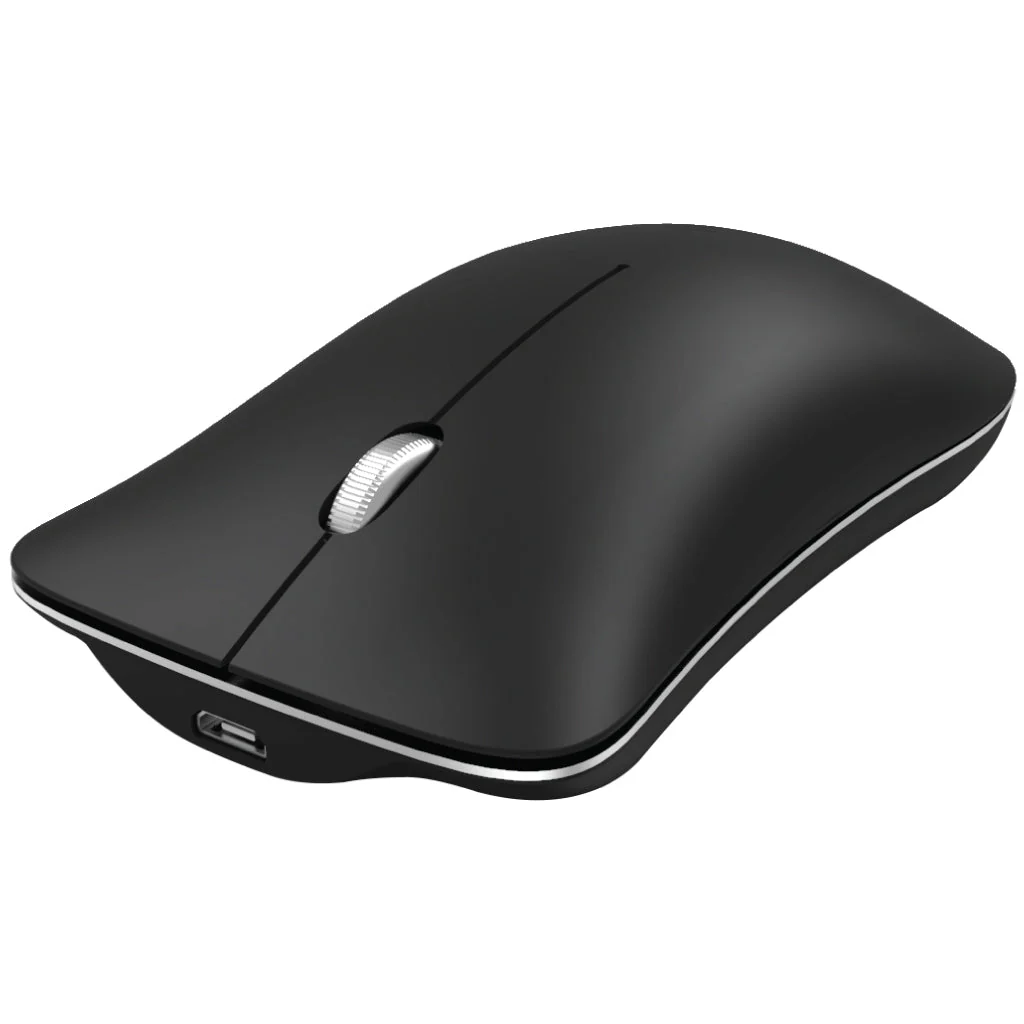
HXSJ - T23 Wireless Mouse
THREE CONNECTION MODES: The HXSJ T23 Mouse Supports three modes Bluetooth 5.0+ 3.0+2.4Ghz. Seamlessly switches between three different connection modes, enabling you to connect to multiple devices simultaneously. Easily toggle between computers with the mode key.
PREMIUM ALUMINIUM ALLOY CONSTRUCTION: This Wireless Mouse is Crafted with aluminum alloy; this mouse exudes durability and elegance. Its professional mouse IC ensures optimal performance.
HIGH-SPEED PRECISION OPTICAL ENGINE POSITIONING: The wireless mouse utilizes a cutting-edge photoelectric sensor, delivering swift and accurate tracking for both office tasks and gaming sessions. Experience smooth and rapid cursor movement.
ENERGY EFFICIENT DESIGN: Say goodbye to constantly purchasing batteries. With its rechargeable functionality, the mouse can last approximately two months on a single charge. A charging cable is included for convenience.
HIGH-RESOLUTION MAX 1600DPI: Enjoy precise and fluid movement with a high resolution of up to 1600 DPI. Whether navigating documents or engaging in gaming activities, expect responsiveness and accuracy from this mouse.
How to use:
For 2.4G wireless mode:
Click the mouse mode button>
Mode indicator Red light> Connect receiver to computer USB port> connected
1. Set the mouse switch to ON and the optical sensor to red.
2. Connect the receiver to the USB port of your computer. Press the mode button once.
Red LED flashes and installation is done automatically
For Bluetooth mode:
Connection steps in Bluetooth 3.0 mode:
Product parameters: 1. Turn on the Bluetooth icon on your computer.
The second mode light turns green and blinks quickly.
2.Turn on the power switch of the mouse, press the mode switch 2 times,
3. Enter Bluetooth BT3.0 connection mode for pairing.
Connection steps in Bluetooth 5.0 mode:
1. Turn on the Bluetooth icon on your computer.
2.Turn on the power switch of the mouse, press the mode switch 3 times,
The lamp of the third mode quickly blinks blue.
3. Enter Bluetooth BT5.0 connection mode to select pairing.
Original: $999.00
-65%$999.00
$349.65Product Information
Product Information
Shipping & Returns
Shipping & Returns
Description
THREE CONNECTION MODES: The HXSJ T23 Mouse Supports three modes Bluetooth 5.0+ 3.0+2.4Ghz. Seamlessly switches between three different connection modes, enabling you to connect to multiple devices simultaneously. Easily toggle between computers with the mode key.
PREMIUM ALUMINIUM ALLOY CONSTRUCTION: This Wireless Mouse is Crafted with aluminum alloy; this mouse exudes durability and elegance. Its professional mouse IC ensures optimal performance.
HIGH-SPEED PRECISION OPTICAL ENGINE POSITIONING: The wireless mouse utilizes a cutting-edge photoelectric sensor, delivering swift and accurate tracking for both office tasks and gaming sessions. Experience smooth and rapid cursor movement.
ENERGY EFFICIENT DESIGN: Say goodbye to constantly purchasing batteries. With its rechargeable functionality, the mouse can last approximately two months on a single charge. A charging cable is included for convenience.
HIGH-RESOLUTION MAX 1600DPI: Enjoy precise and fluid movement with a high resolution of up to 1600 DPI. Whether navigating documents or engaging in gaming activities, expect responsiveness and accuracy from this mouse.
How to use:
For 2.4G wireless mode:
Click the mouse mode button>
Mode indicator Red light> Connect receiver to computer USB port> connected
1. Set the mouse switch to ON and the optical sensor to red.
2. Connect the receiver to the USB port of your computer. Press the mode button once.
Red LED flashes and installation is done automatically
For Bluetooth mode:
Connection steps in Bluetooth 3.0 mode:
Product parameters: 1. Turn on the Bluetooth icon on your computer.
The second mode light turns green and blinks quickly.
2.Turn on the power switch of the mouse, press the mode switch 2 times,
3. Enter Bluetooth BT3.0 connection mode for pairing.
Connection steps in Bluetooth 5.0 mode:
1. Turn on the Bluetooth icon on your computer.
2.Turn on the power switch of the mouse, press the mode switch 3 times,
The lamp of the third mode quickly blinks blue.
3. Enter Bluetooth BT5.0 connection mode to select pairing.